Codebuild CI
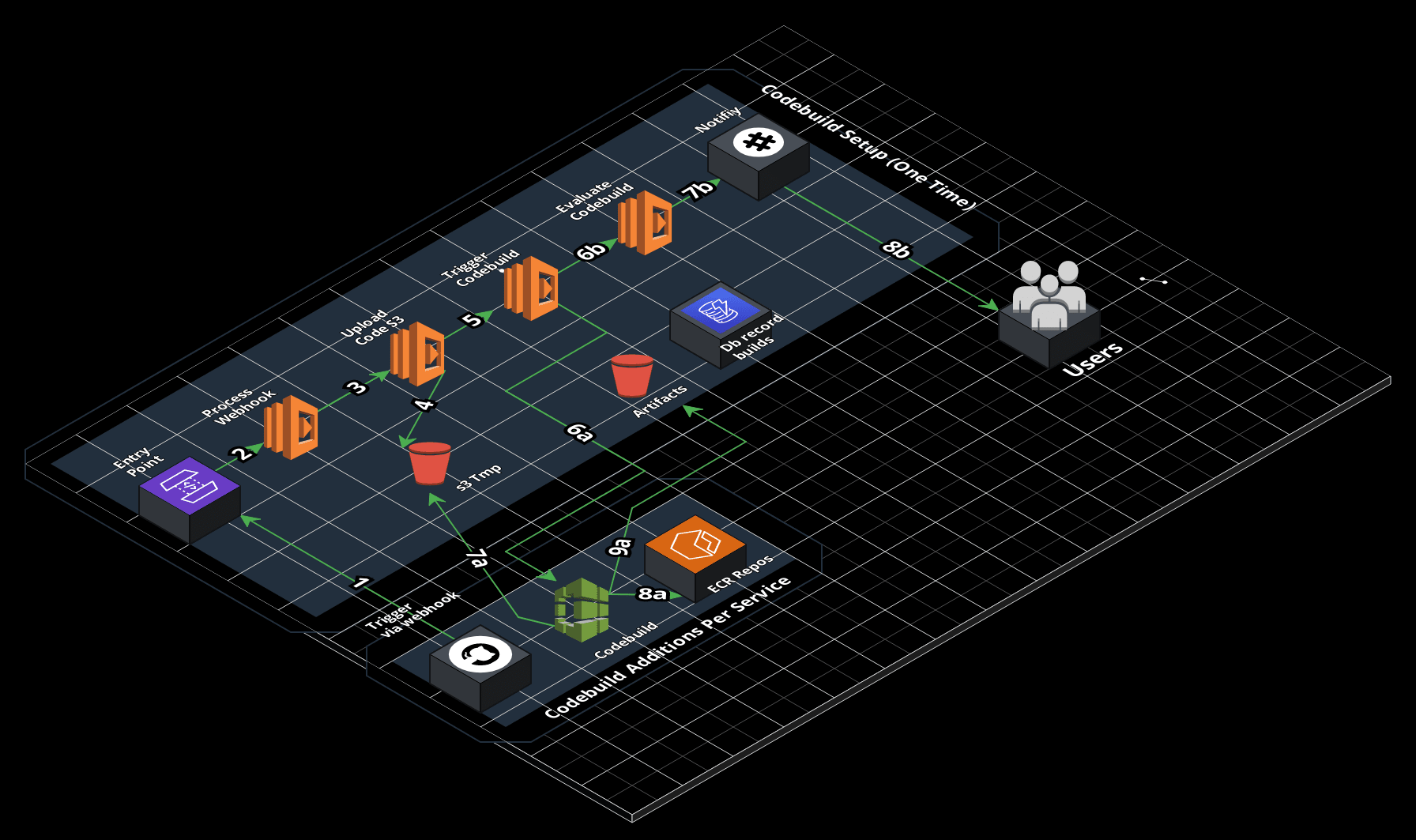
This guide will help you set up a continuous integration system that scales linearly through GitHub and AWS Codebuild.
Prerequisites
- GitHub Integration (required)
- Dockerhub Integration (optional)
- Slack Integration (optional)
Setup
- Setup Codebuild CI system:1
- Go to Home
- Click Add Project
- Click launch-config0
- Type branch name:
codebuild-setup - Add project name:
codebuild-setup-101 - Click Add Project
- Wait and verify the codebuild-setup project completes (approx. 30 mins)
Connect
- Connect GitHub repository to Codebuild CI system:23
- Go to Home
- Click Add Project
- Click launch-config0
- Type branch name:
codebuild-add - Add project name:
mycode-101 - Click Add Project
(Repeat as needed for additional repositories)